
Short answer:
You can add a QR code to your Xink email signature template using the QRCode field. Each employee will then have their own automatically generated QR code that recipients can scan to save contact details on a mobile device.
Why use a QR code in your email signature?
This is useful if you want recipients to quickly save employee contact details by scanning a QR code directly from the email signature.
A QR code in the signature can help you:
- Make it easier for recipients to save contact details
- Improve the mobile experience
- Add a modern and professional element to the signature
This guide shows you how to:
- Insert the QR image field into your signature template
- Preview the generated QR code for employees
- Understand what happens when recipients scan the QR code
Step 1: Insert the QR code field into the template
- Log in to your Xink Admin Portal.
- Go to the Signatures menu and open the template you want to edit.
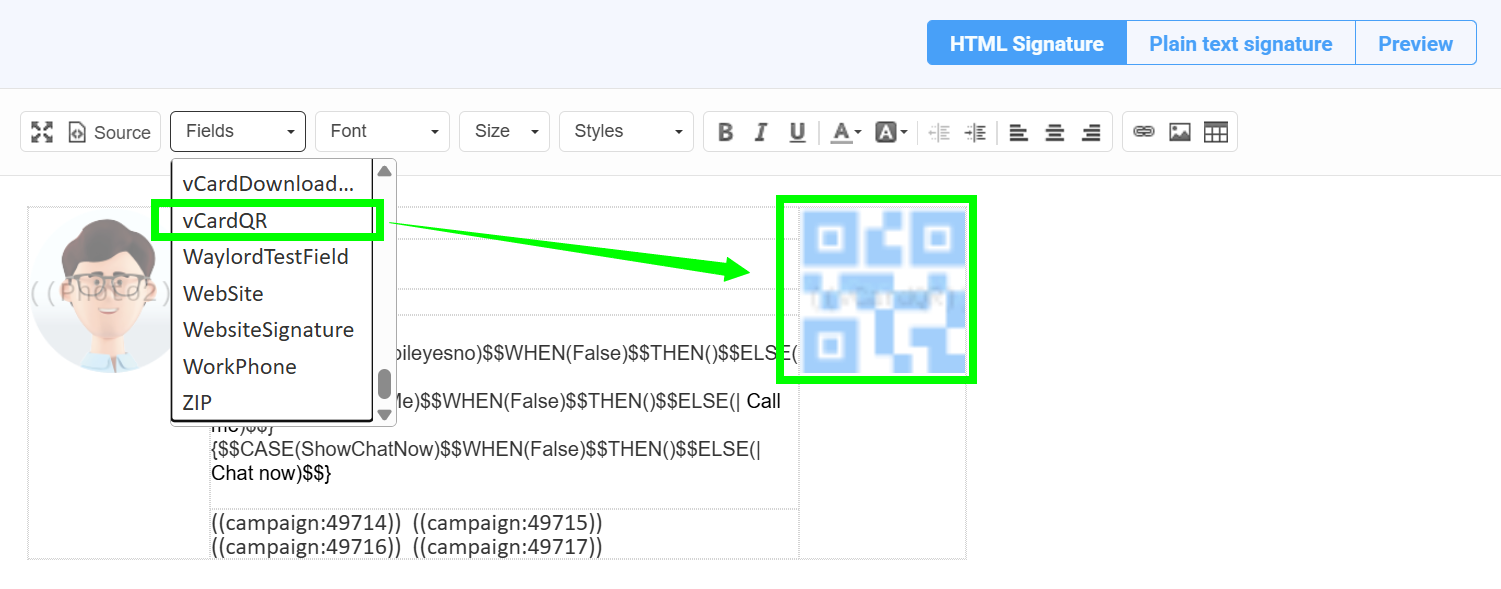
- Click the Fields menu and select QRCode.
- Resize and position the QR code to fit your signature layout.
You have now updated the template to include a QR code for each employee.
Step 2: Preview the QR code for employees
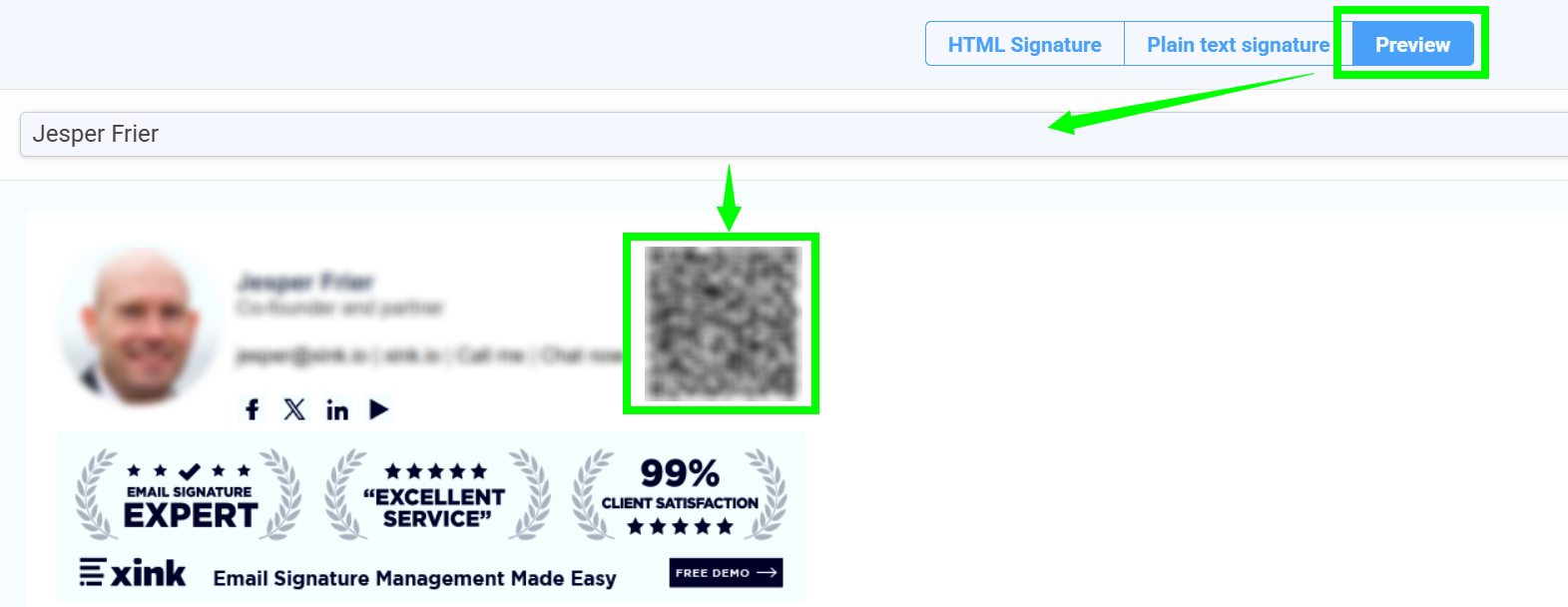
- Open the Preview tab.
- Search for and select an employee.
- Preview the QR code and test it on both iPhone and Android.
- Click OK to save the template.
Step 3: How the QR code works for recipients
Once the QR code is included in the email signature:
- Recipients can scan the QR code directly from the email signature
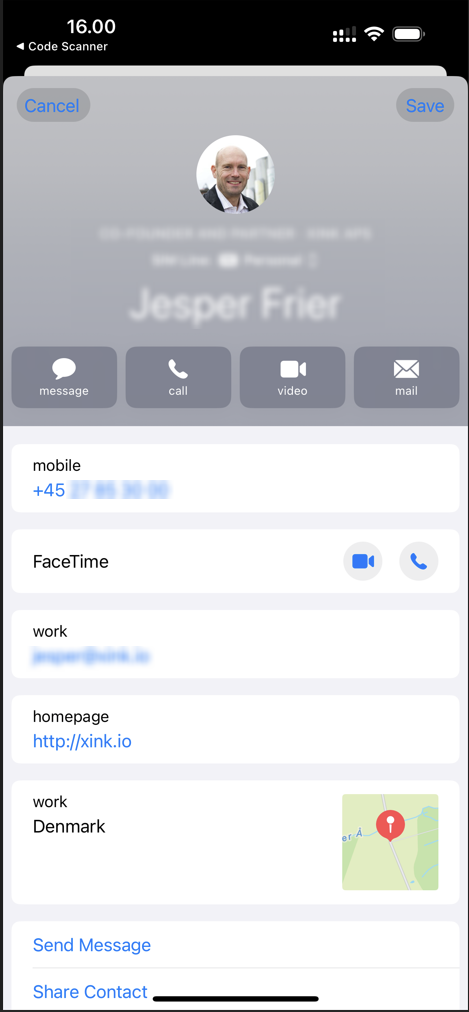
- Their phone will open the Contacts app
- The contact details, such as name, phone number, and email address, are pre-filled
- They can save the contact with one tap
Final tips
- Test with a small group first to confirm the QR code displays and scans correctly
- Add a short call to action next to the QR code, such as “Scan to save my contact details”
- Keep the QR code large enough to scan easily on mobile devices
Summary
- Add the QRCode field to the signature template
- Preview the QR code for employees before publishing
- Recipients can scan the code to save contact details on their phone
