
Short answer:
Outlook task responses (Accept/Decline) may not work with Xink server-side rerouting. To fix this, exclude task emails using a subject-based exception in the transport rule.
After enabling server-side signatures, recipients of Outlook tasks may not see the Accept and Decline options.
This happens because rerouting modifies the message, which can affect how Outlook processes task requests.
As a workaround, you can exclude task emails from rerouting by using a subject-based exception.
Exclude Outlook tasks using a subject keyword
1. Open the Exchange Admin Center
Go to Mail flow and locate the rule Xink-Auto-ReRouting-Catcher.
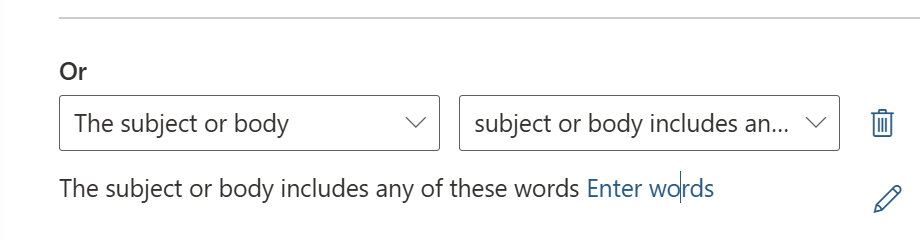
2. Add an exception
Click Add exception and configure the rule to exclude emails based on the subject line.
3. Define a unique keyword
Use a specific keyword such as ExcludeFromReroute to avoid matching unintended emails.

4. Save the rule
User guidance
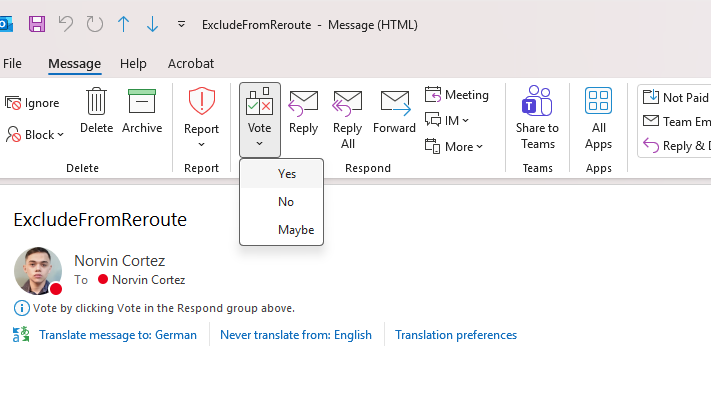
Ask users to include the defined keyword (e.g. ExcludeFromReroute) in the subject line when sending Outlook tasks.
Recommendation
Use a clearly defined and unique keyword, and communicate it to users. This ensures Outlook task functionality works correctly while maintaining server-side signatures for other emails.
