
Short answer:
Meeting room bookings or group mailbox emails may fail when Xink rerouting is enabled. Exclude these mailboxes from the Xink transport rule to restore normal delivery.
If meeting room bookings are not working, or emails sent from a group mailbox result in a bounce-back message, this is typically caused by Xink server-side rerouting.
To resolve this, you need to exclude meeting rooms, shared mailboxes, or service accounts from the Xink rerouting rule.
Exclude mailbox resources from rerouting
1. Open the Exchange Admin Center
Go to Mail flow and locate the rule Xink-Auto-ReRouting-Catcher.
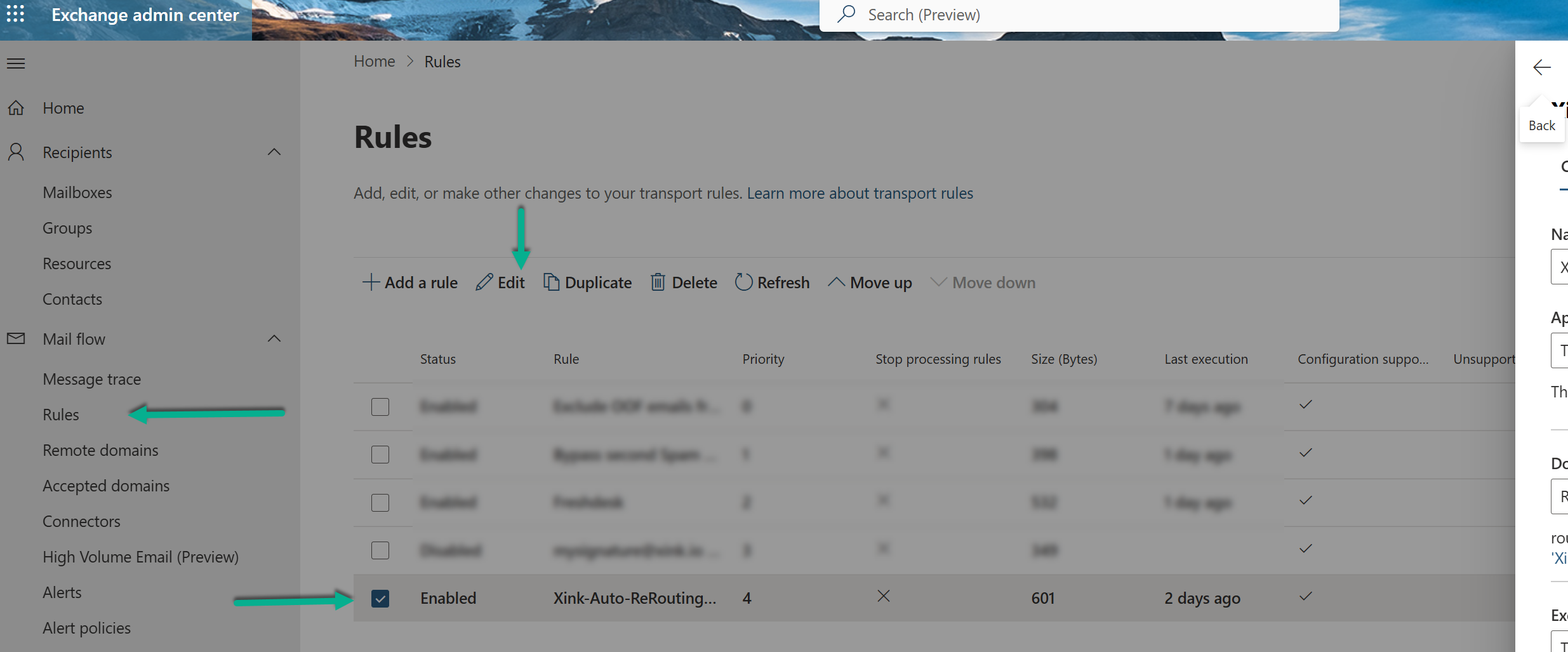
2. Edit the rule
Modify the configuration to add exceptions for mailbox resources.
3. Add the following exceptions:
- Except if sender is meeting room AND recipient is meeting room
- Except if message type is Calendaring

4. Save the rule
When to use this solution
This configuration is recommended if you experience:
- Meeting room booking failures
- Bounce-back messages from group mailboxes
- Issues sending or receiving emails for shared mailboxes or service accounts
You can exclude any affected mailbox from the Xink-Auto-ReRouting-Catcher rule to prevent rerouting for those messages.
Recommendation
Exclude only the required mailbox types or accounts to maintain signature coverage for all other users while ensuring critical services (like calendaring and room booking) continue to function correctly.
