
Short answer:
Use the Xink API integration with Google Workspace to centrally manage Gmail signatures. Configure domain-wide delegation in Google Admin and connect it in the Xink portal.
This guide explains how to centrally manage Gmail signatures across your organization using the Xink API integration with Google Workspace.
Key features
- Manage Gmail signatures centrally using a Google Workspace account
- Signatures appear instantly when users click Compose in Gmail
- Update signatures across Organizational Units and domains in the same tenant
- Support for multi-domain environments and multiple Xink accounts
No email rerouting
This integration ensures privacy and transparency—no email rerouting is required.
Feature availability (API method)
| Feature | Supported |
| New email signature | Yes |
| Reply email signature | Yes |
| Unattended deployment | Yes |
| Overwrite user-created signatures | Yes |
| Gmail for Android | Yes |
| Gmail for iOS | Yes |
The API method
Xink updates Gmail signatures within one hour. After configuration, allow up to one hour for signatures to appear in Gmail.
Step 1: Configure Google Admin Console
Grant Xink permission to update user signatures via the Gmail API.
Sign in to the Google Admin Console using your admin credentials.
- Go to Security > API Controls


- Under Domain-Wide Delegation, click Manage domain-wide delegation.

- Click Add New and enter:
Client ID:27708099835-fmptu081sib9tn8v35ksjmc0knukd3mu.apps.googleusercontent.com
OAuth Scopes:https://www.googleapis.com/auth/gmail.settings.basic,https://www.googleapis.com/auth/gmail.settings.sharing
Note: These scopes are required for Gmail signature management. Learn more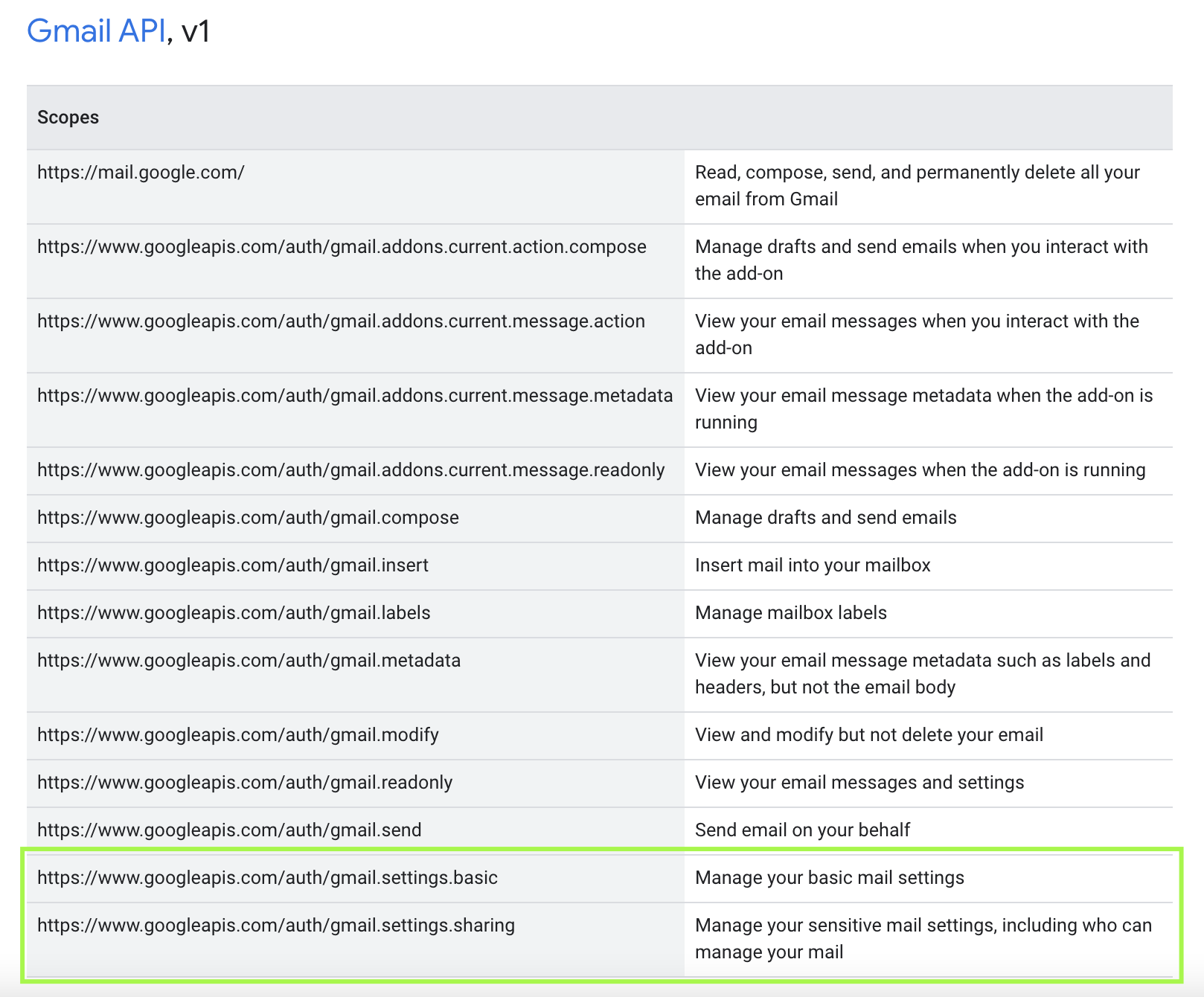
- Click Authorize and confirm the entry appears in the list.

Step 2: Configure the Xink portal
- Log in to the Xink portal and go to:
Preferences > Integration > Google Workspace
Click Enable, sign in with your Google Workspace admin account, and click Save.
- Wait up to one hour, then open Gmail and click Compose to verify the signature.
