
Short answer:
Select Allow users to save preferred New/Reply in Signature Rules when you want to enforce approved signatures company-wide, while still allowing users to choose their preferred New and Reply signatures in the Xink add-in.
Important
Users select their preferred New and Reply signatures once.
Xink remembers the selection and automatically applies those choices going forward.
This feature is available only for email signatures assigned through Signature Rules.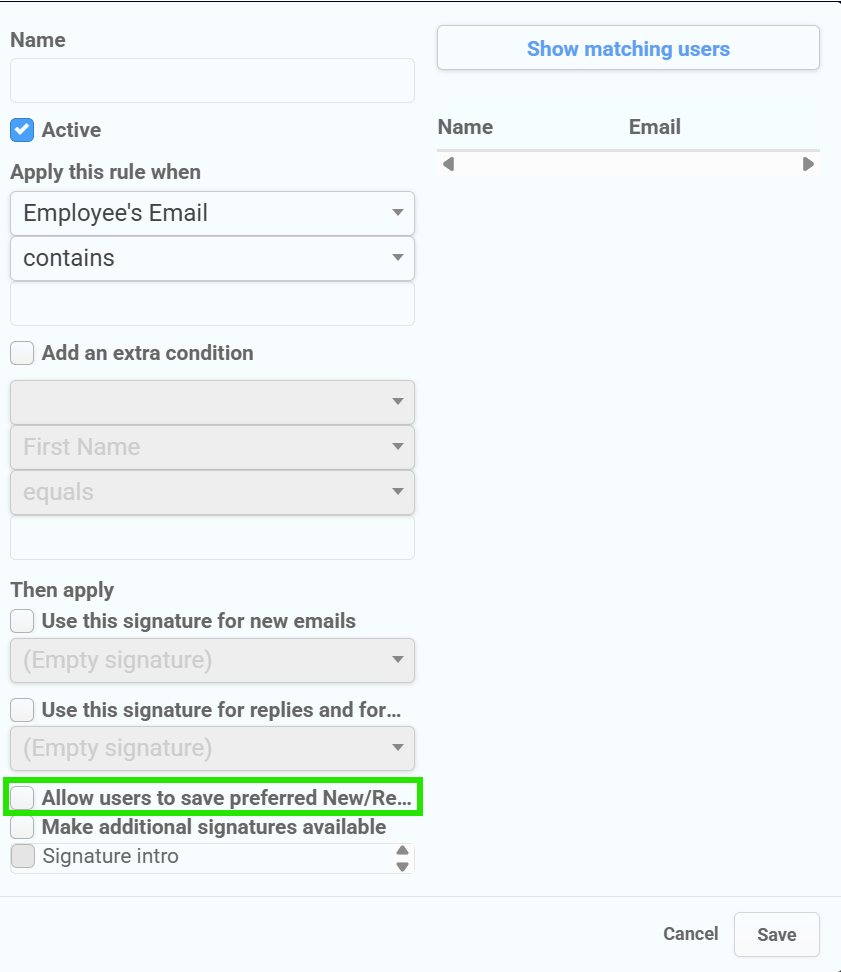
What this feature does
The Allow users to save preferred New/Reply option lets Xink admins define which signatures are approved for a user through rules.
End users can then open the Xink add-in and choose their preferred default signature for:
- New emails
- Replies and forwards
This helps your organization keep a company-wide signature standard while giving users controlled flexibility.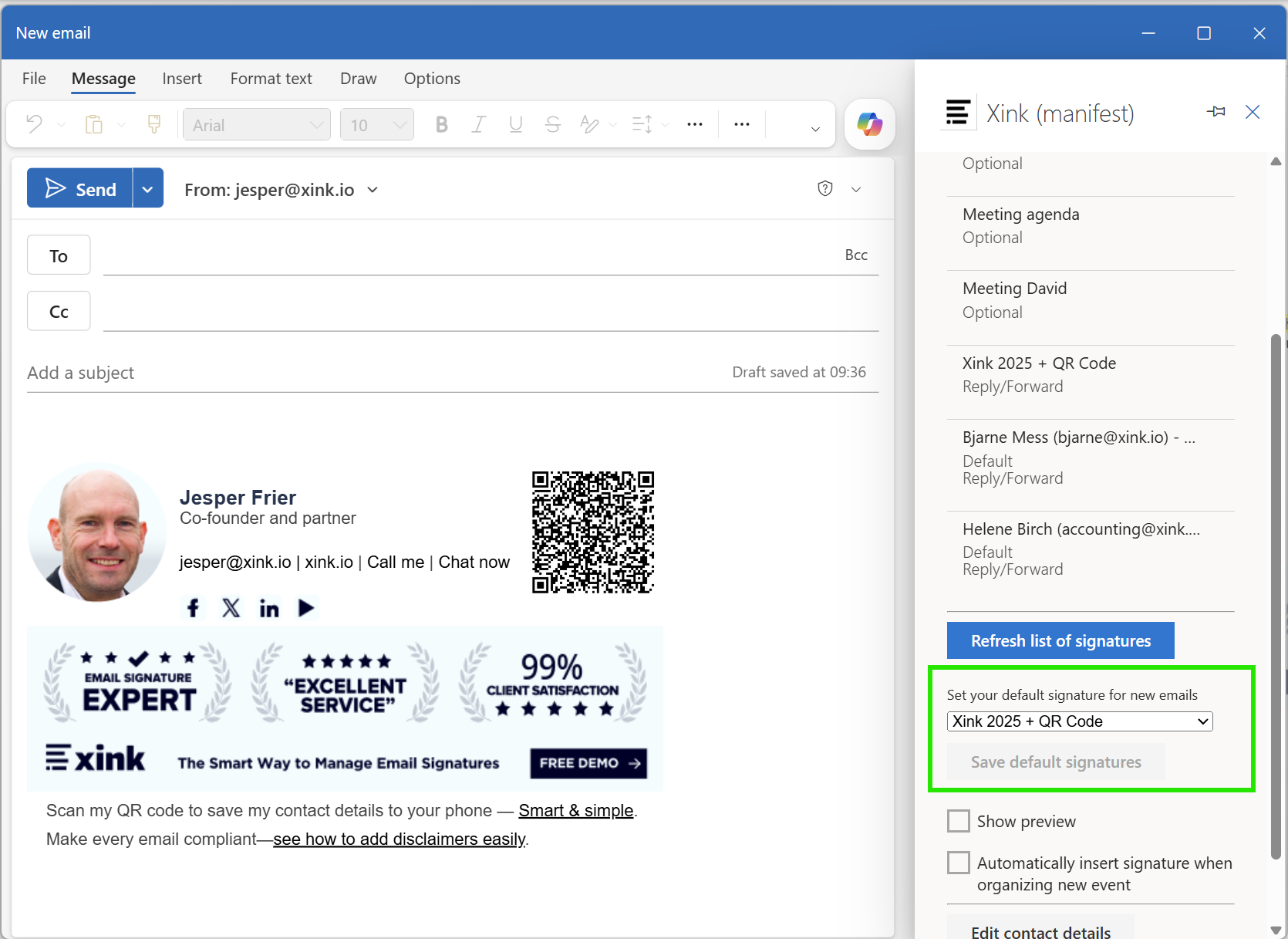
When to use this option
Use this option when you want users to choose between approved signatures, for example:
- A main company signature
- A shorter reply signature
- A campaign-based signature
- A role-specific or department-specific signature
The user can only choose from signatures made available by the Xink admin.
How admins enable user signature selection
- Go to Signatures.
- Open Signature Rules.
- Create or edit a signature rule.
- Select the signature to apply for new emails and replies.
- Enable Allow users to save preferred New/Reply.
- Add any approved optional signatures the user should be able to choose from.
- Click Save.
How end users choose their signatures
After the rule has been applied, the end user can open the Xink add-in and update their preferred defaults.
- Open the Xink add-in in Outlook.
- Click Refresh list of signatures.
- Select the default signature for new emails.
- Select the default signature for replies.
- Click Save default signatures.
How does this differ from optional signatures?
Optional signatures alone do not enforce a default signature. They only make additional signatures available.
The Allow users to save preferred New/Reply settings, ensuring that the user’s available choices are based on the signatures approved by the admin through rules.
This prevents users from continuing with unapproved signatures while still allowing them to choose between approved options.
What happens if a user has individual settings?
If a user already has individual signature settings, Xink honors the individual setting.
Example:
- A rule matches Bob, and the Allow users to save preferred New/Reply enabled.
- The rule assigns signature S1.
- Bob also has an individual default signature setting using S2.
In this case, Bob’s individual setting is used.
To let the rule-based Allow users to save preferred New/Reply setting apply, the admin must remove or untick the individual signature setting for that user.
Can users select an empty signature?
If an empty signature is made available as an option, the user may select it.
If you do not want users to use an empty signature, do not include it as an approved option. You can also enforce specific signatures through rules.
Why is this setting turned off by default?
The setting is turned off by default because many organizations prefer to enforce new and reply signatures without user flexibility.
Enable Allow users to save preferred New/Reply only when you want users to select from admin-approved signatures.
Important notes
- This option is available only for signatures assigned through Signature Rules.
- Users can choose only from approved signatures made available by the admin.
- Individual user settings override rule-based selection.
- Optional signatures should be added when users need multiple approved choices.