
Short answer:
Use GIFs in email signatures only when they are small, simple, and carefully optimized. Keep the animation subtle, limit the number of frames, and reduce colours to maintain fast loading and reliable rendering across email clients.
GIFs can add subtle motion and visual interest to an email signature, but only when used carefully. Because GIF files can grow quickly in size, especially when they contain many frames, optimization is essential for fast loading and consistent rendering across email clients.
To help maintain performance and compatibility, use the recommended GIF specifications below when adding animated content to email signatures.

Recommended GIF specifications
Maximum width: 600–800 px
This width range balances clarity with performance across desktop and mobile devices. Larger GIFs increase file size significantly without adding much visual value.
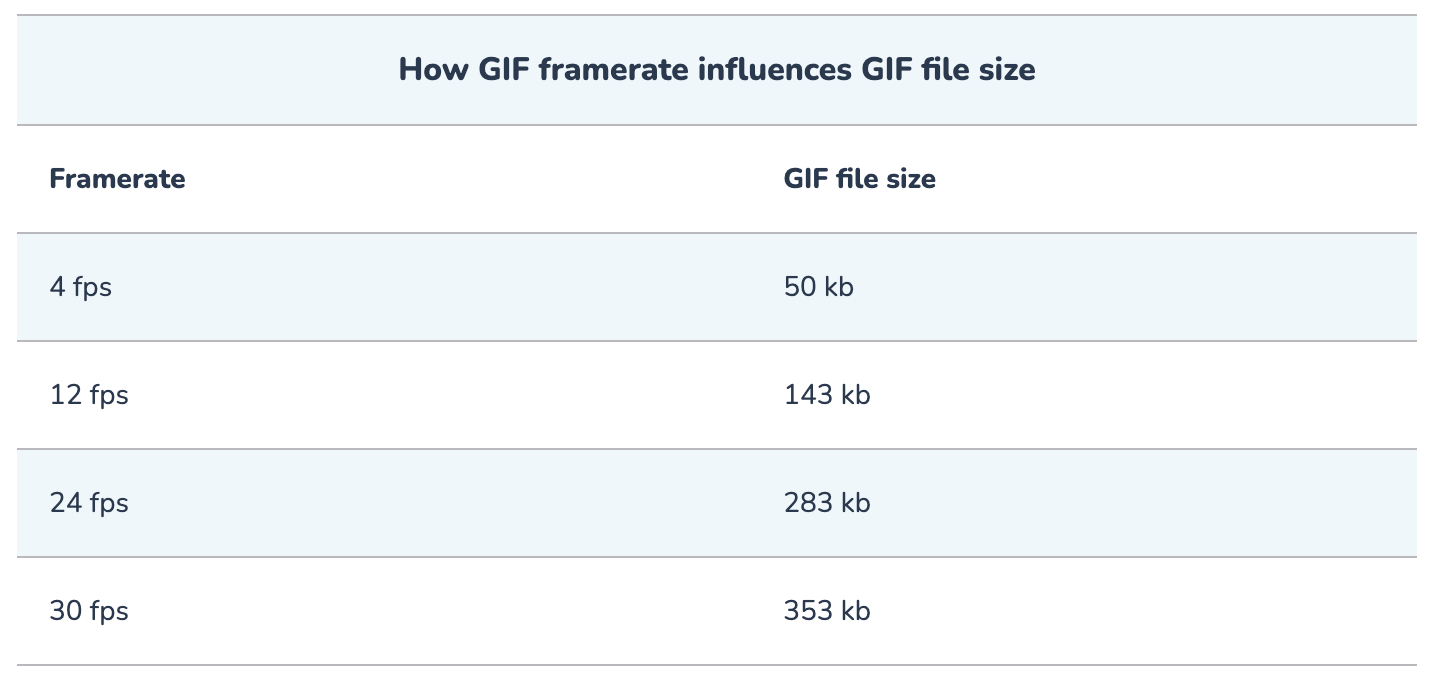
Total frames: 10–15 frames maximum
Keeping the frame count low helps reduce file size while still allowing smooth and subtle animation suitable for email signatures.
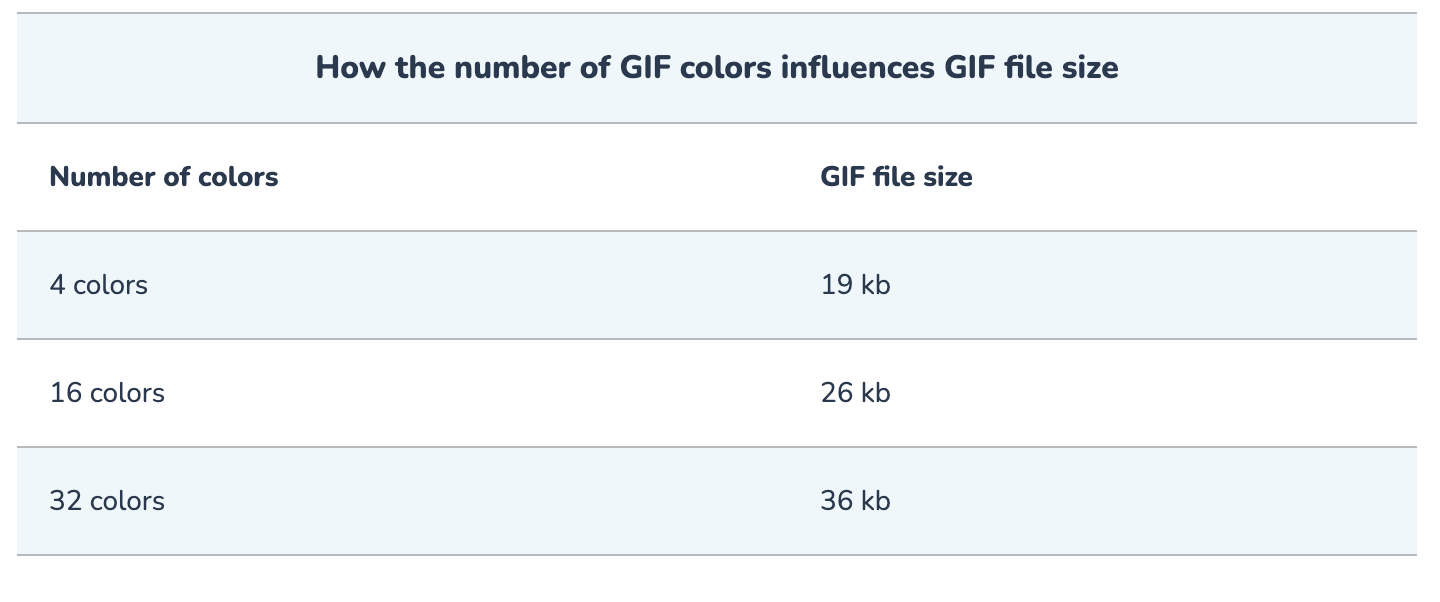
Colour palette: Approximately 64–128 colours
Most optimized GIFs use fewer than the maximum 256 colours. Reducing the palette lowers the file size with little visual impact in most designs.
Text: Keep text short, bold, and large
Minimal text improves readability and also helps keep the GIF file smaller.

How to compress a GIF
You can compress a GIF using a third-party tool such as ezGIF. These tools are simple to use and suitable for quick optimization.
Step 1: Upload the GIF
Upload the GIF using drag-and-drop or file selection.
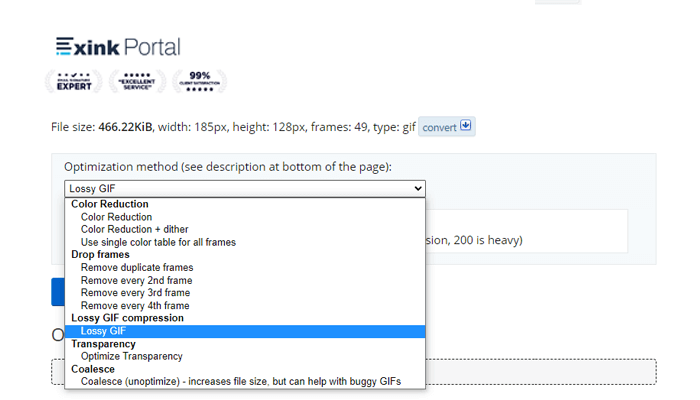
Step 2: Choose compression options
Most tools let you reduce file size by:
- Reducing resolution
- Lowering frame rate
- Removing frames
- Reducing colour depth
Step 3: Apply compression
The tool generates a smaller version of the GIF by removing or simplifying visual data.
Step 4: Download the optimized GIF
Download the new file and test it in your email signature before publishing.
Why converting video to GIF is usually not recommended

- Poor image quality: GIFs are limited to 256 colours, which can cause banding and pixelation.
- Large file sizes: GIFs are often much heavier than modern video formats such as MP4.
- No audio: GIFs do not support sound.
- Performance impact: Large GIFs can slow down loading and affect the email experience.
- Outdated format: GIF is less efficient than modern motion formats.
- Accessibility concerns: Constant looping motion can distract some readers.
Why these limits matter
These recommendations help balance visual quality and performance. By limiting width, frame count, colour depth, and text complexity, you can keep GIF file sizes manageable while improving compatibility across email clients and devices.
Following these guidelines helps keep your email signature professional, reliable, and optimized for delivery.
